Your historical feedback is the most valuable thing in your Qualtrics account. It holds your NPS baseline and years of customer comments. Lose it, and you start your new platform blind. Here's how to move it safely.
Know What Qualtrics Stores and How It Exports
Qualtrics keeps your survey design and your response data in separate places. The survey itself exports as a .QSF file. Responses export on their own.
Per Qualtrics' support docs, you can export raw responses as CSV, TSV, XML or SPSS files. One catch: if a filter is active when you export, you only get the filtered rows. Clear every filter first.
Dashboards don't come with you as data
Dashboard exports produce files, not raw data. You'll rebuild your charts in the new tool from the raw responses. Plan for that work early.
Build Your Export Checklist Before Renewal
Don't wait for your last week. Qualtrics' general terms let you export data during your subscription, and data left after the term ends gets deleted. Check your own contract to confirm.
Also check Admin, then Data Privacy. A retention policy there can delete or anonymize old responses on a schedule. Deleted responses can't be recovered.
What to export
Export raw responses for every project with no filters applied. Save every .QSF survey file. Pull your contact lists and embedded data fields, since those hold your segments. Write down your own theme labels so you can match them later.
What to export
- Raw responses for every project, no filters
- Every .QSF survey file
- Contact lists and embedded data fields
- Your own theme labels
Map Your Data So Trends Stay Comparable
A migration fails when old and new numbers stop lining up. Map each field before you import anything. At minimum, you need response date, customer ID, score, comment and segment.
Check your scales. NPS should stay on 0 to 10. If your CSAT moved from a 5 point to a 7 point scale at some point, flag it.
Keep your baseline honest
Forrester's 2025 State of Feedback Management survey found that companies collect plenty of feedback but don't use it well. A clean, mapped history fixes part of that. “VoC is an essential component of a successful CX program,” said Gartner analyst Deb Alvord. Your history is what gives that program context.
Free review snapshot
See what your customers are saying, before you talk to us.
No commitment. We use your details only to send your snapshot and follow up. Privacy policy
Import, Check and Retire
Import your raw responses into the new platform through a file upload or an integration. Then rerun theme analysis on your old comments. That gives you one consistent set of tags across years, which makes your NPS analysis trustworthy.
Validate before you cancel
Compare monthly NPS and CSAT from both systems for the last 12 months. If any month differs by more than a point, find out why before you move on. Most gaps come from filters or missing rows.
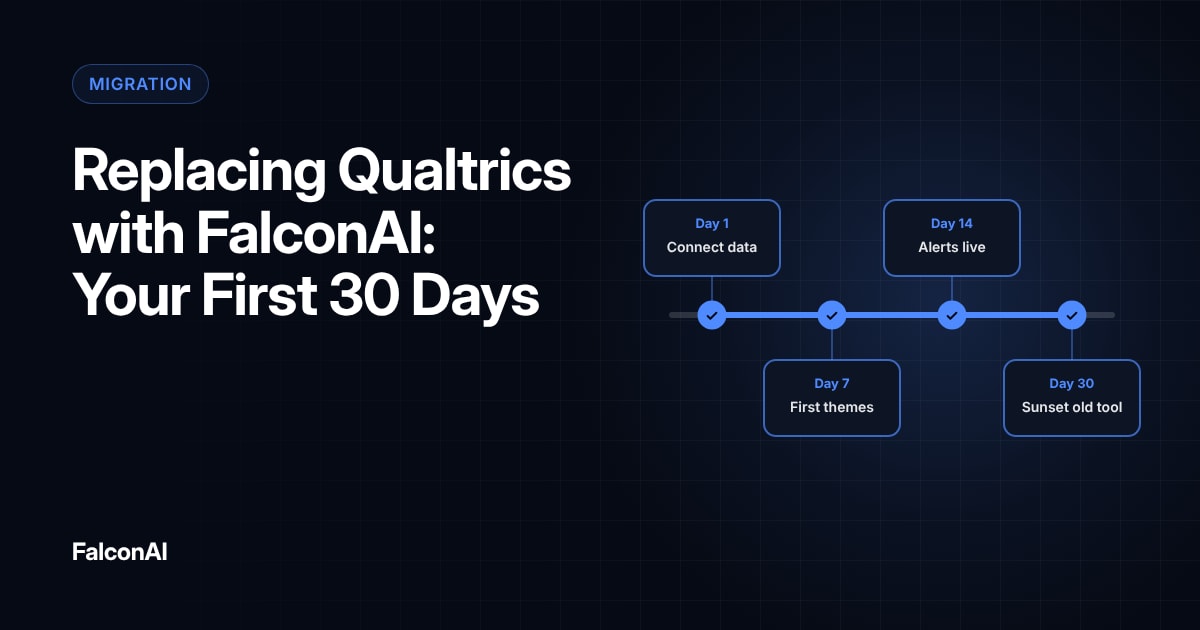
Our first 30 days plan shows where this fits in the full switch. Still deciding? Read Qualtrics vs. FalconAI or book a demo and we'll walk through your export with you.
Export, map, import, retire
- ExportRaw responses with every filter cleared
- Map each fieldResponse date, customer ID, score, comment, segment
- ImportThrough a file upload or an integration
- Rerun theme analysisOne consistent set of tags across years
- Validate, then cancelCompare monthly NPS and CSAT for the last 12 months
Frequently asked questions
Can you export all your data from Qualtrics?
You can export raw survey responses from each project. Dashboards export as files, so plan to rebuild your reports from the raw data.
What file formats does Qualtrics export?
Raw responses export as CSV, TSV, XML or SPSS. Survey designs export as .QSF files.
What happens to Qualtrics data after your contract ends?
Qualtrics' general terms say remaining data gets deleted after the term, unless law requires retention. Export everything before your end date.
Can you import historical data into a new VoC platform?
Yes. Most platforms accept CSV uploads. Map your fields first so scores and customer IDs land in the right columns.
How long does a Qualtrics migration take?
Small programs move in a few weeks. Large programs with many surveys take longer. Start at least 60 days before your renewal date.
Will my NPS change after switching platforms?
The NPS formula doesn't change. Differences usually come from filters or missing rows.