
Multi-location CX management
Find the stores falling behind, and get them back on track.
Find underperforming stores or branches, assign fixes to regional owners and track whether performance improves.
Updated
- Every location compared on the same themes
- Fixes assigned to regional owners
- Progress tracked against a baseline
Free review snapshot
See what your customers are saying, before you talk to us.
Tell us your brand. We read its public Google reviews and send back the themes customers raise most, with the quotes behind them.
- The themes customers raise most
- Where sentiment is slipping
- Real quotes behind each theme
No commitment. We use your details only to send your snapshot and follow up. Privacy policy
The problem
What gets in the way
Averages hide the stores in trouble
A brand-wide rating looks fine while a handful of locations slip, month after month.
Regional managers build reports by hand
Hours go into spreadsheets instead of fixing what customers complain about.
Fixes are never checked
A store gets a new process, but nobody tracks whether its customers noticed.
How it works
From a slipping store to a measured fix
Compare
Every store, branch or outlet is compared with the others on the same themes.
Find
Scorecards show each regional manager which locations are slipping and on which issues.
Assign
Fixes go to regional and store owners, with the customer comments behind each issue.
Track
A KPI for each fix is tracked against its baseline, so you see whether performance improves.
What you get
What your team gets
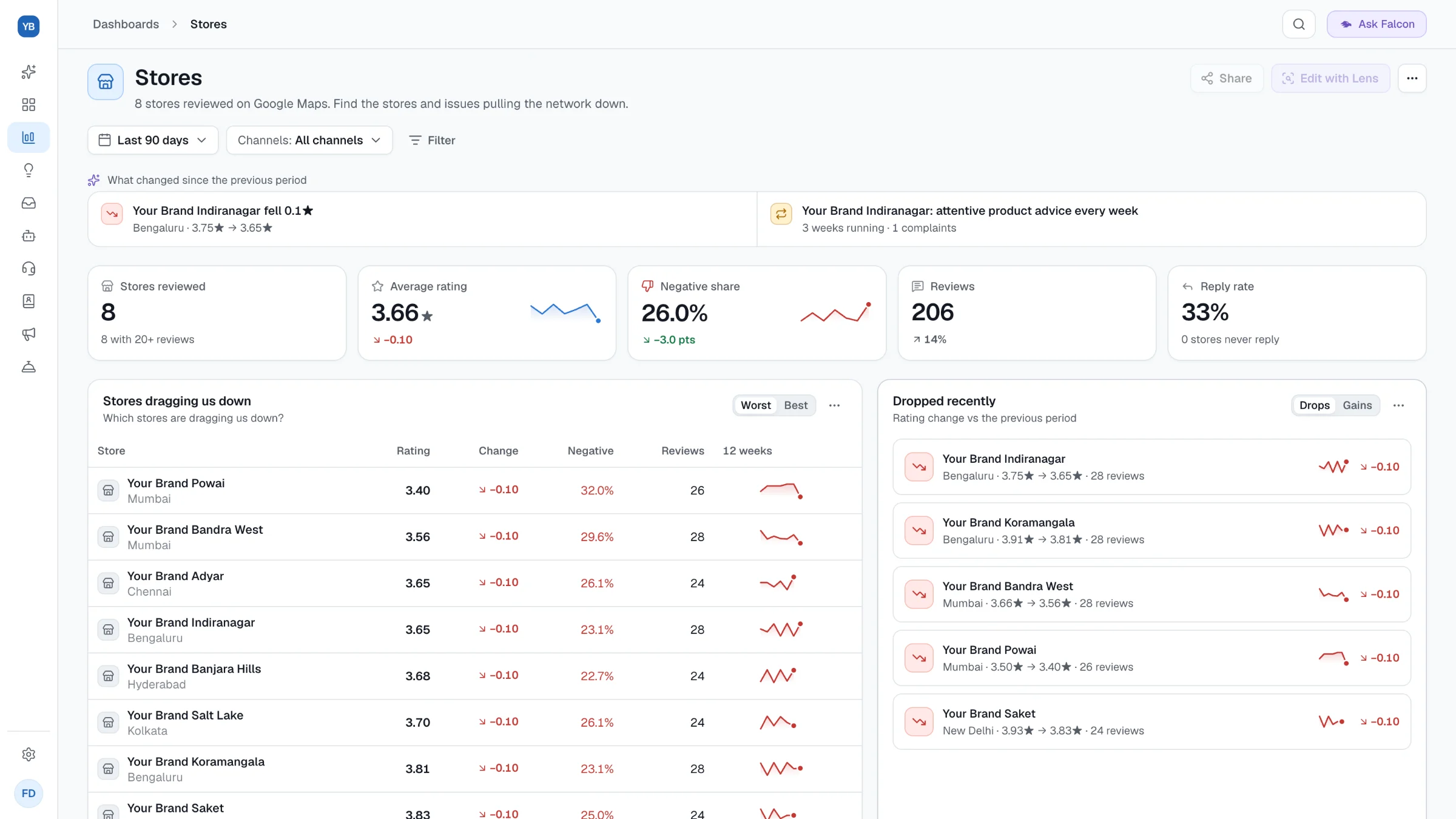
Every location on one view
Rating, change, negative share and review count for each store, so slipping stores stand out.
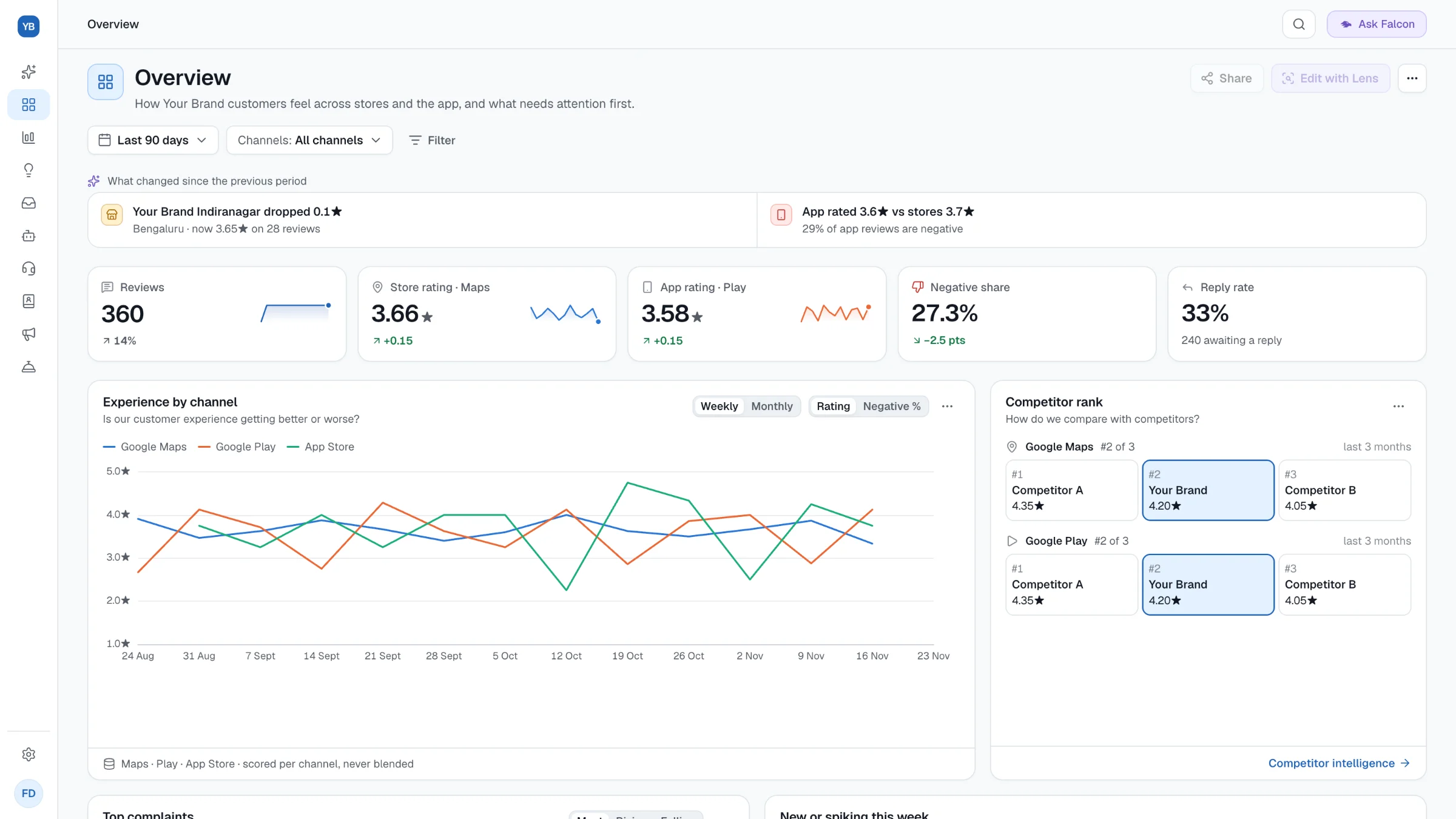
What changed since last period
The store whose rating dropped, how the app compares with the stores, and the trend for each channel.
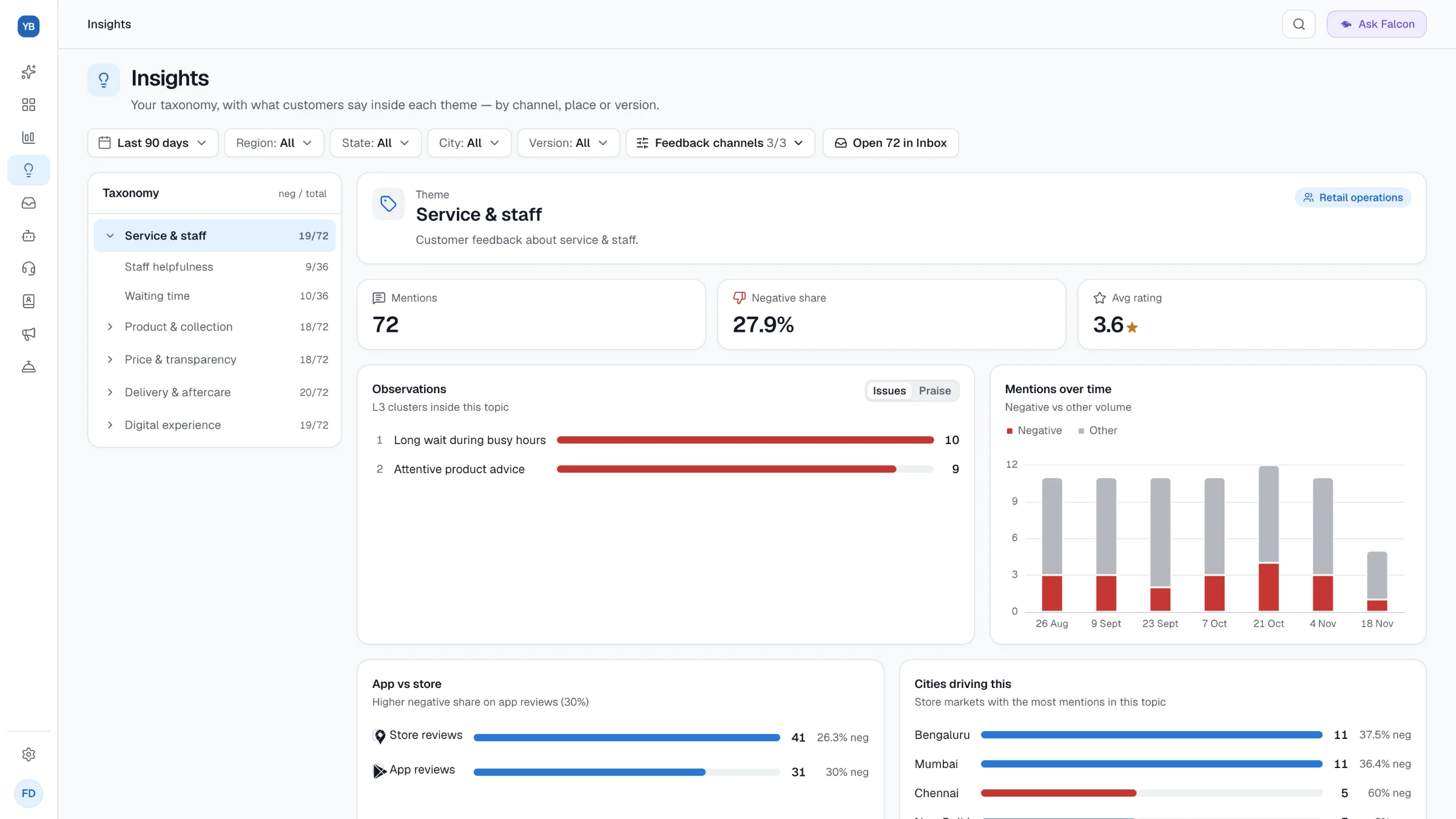
The issue behind the numbers
Open a theme to see its top issues, the team that owns it, and the cities driving it.
See it on a sample workspace, or on your own reviews with our team.
FAQ
Frequently asked questions
What is multi-location CX management?
Multi-location CX management is comparing customer experience across your stores or branches, finding the ones falling behind, assigning fixes to the people responsible and checking whether things improve.
Why compare locations with each other?
Your own locations share the same brand, prices and processes, so differences between them point to something a manager can fix.
How do I know whether a fix worked?
Each fix can be tracked as a program with its own KPI, measured against the baseline recorded when it started.
Free review snapshot
See what your customers are saying, before you talk to us.
Tell us your brand. We read its public Google reviews and send back the themes customers raise most, with the quotes behind them.
No commitment. We use your details only to send your snapshot and follow up. Privacy policy